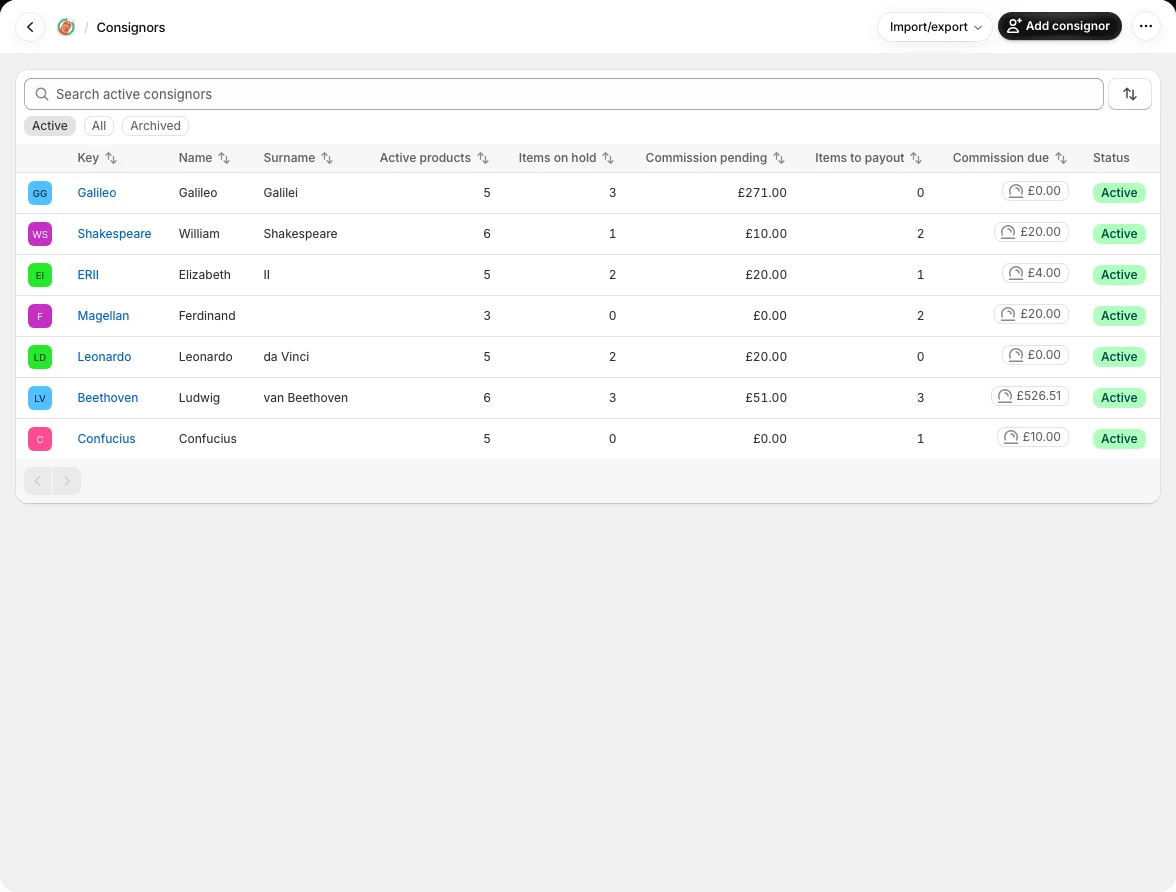
Load Consignors
You can add consignors in two ways:
For a new consignor, open Consignors › Add consignor, enter a unique key and their details, then save. Use Edit on their record to update contact details, commission share, discount handling, email language and portal permissions. A consignor’s own commission share overrides the shop default; a product’s share overrides both. Use the More menu to send a portal link or account snapshot. Archive a consignor when you no longer work with them, after removing or deactivating their active products.
CSV import — a unique key field is required. Include email if you want portal access and automated receipts. No two consignors can share the same key or share the same email
Import your consignor list
- Export your consignors from your current system, or make a spreadsheet with one row per consignor. Use their existing account number as the Key if you have one. This is the identifier you will also use to link products and import payouts.
- Use the English column headings shown in the example. Key is required for new consignors. Add names, email addresses and phone numbers where available. Each Key must be unique; an email address can belong to only one consignor in your shop.
- Save the spreadsheet as a comma-separated CSV file. Open Consignors, choose Import/export, select Import consignors CSV, and upload it.
- Read any reported row errors, correct those rows and import again. Successful rows may already have been saved. Open a few consignor records afterward to check names, contact details and commission shares.
Key,Given name,Surname,Email,Commission %
C001,Alex,Morgan,alex@example.com,50
Useful columns
Key, Given Name, Surname, Email and Phone cover the basics. Share % sets the consignor’s percentage, such as 40 for 40%; leave it blank to use the shop default. Notes can hold information for your shop. Keep CSV column headings in English, even when you use Consignify in another language.
To update existing consignors, export the Consignify consignors CSV and keep its ID column. You can also match by Key. Include only columns you intend to update: missing columns leave existing details unchanged, while blank cells in included contact, name, notes or share columns clear those values.